You have written the perfect blog title, website heading, or email subject line, but then a small formatting question slows you down: should it be “How to Write Better Blog Titles” or “How to write better blog titles”?
Both versions can be correct.
The first uses title case, while the second uses sentence case. The difference may seem minor, but capitalization affects how polished, readable, and consistent your content feels.
Writers, bloggers, students, marketers, editors, and website owners regularly need to choose between these two styles. Understanding the difference makes it much easier to format headings without second-guessing every word.
What Is Title Case?
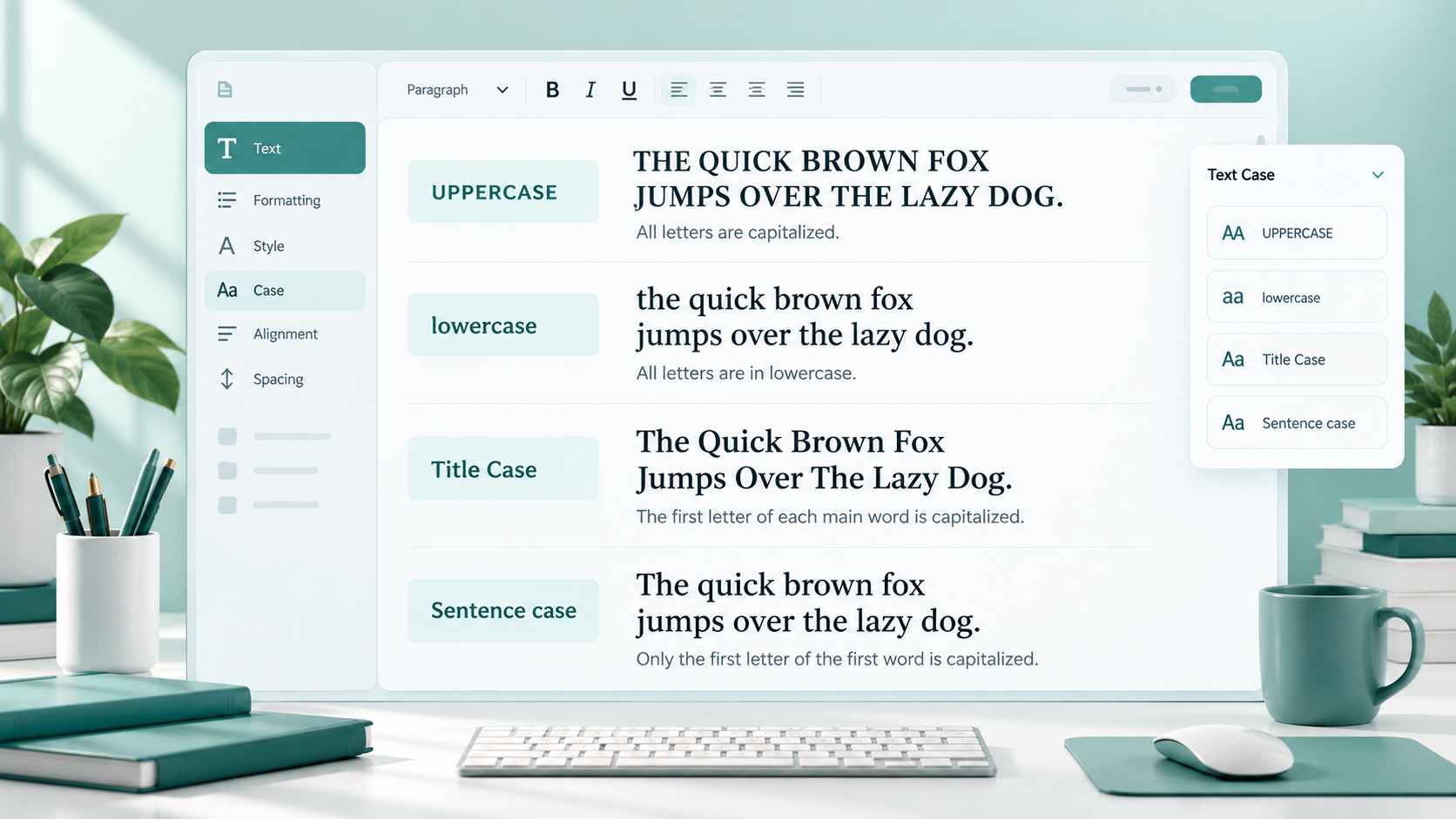
Title case is a capitalization style in which the important words in a title or heading begin with capital letters.
For example:
Title Case vs Sentence Case
How to Write Better Blog Titles
Free Online Writing Tools
In title case, nouns, verbs, adjectives, adverbs, and other important words are usually capitalized. Smaller connecting words may remain lowercase depending on the capitalization style being followed.
For example:
How to Write a Better Blog Post
The word “to” and the article “a” remain lowercase here, while the main words are capitalized.
Title case is commonly associated with headlines, article titles, books, courses, landing pages, and other text that needs to stand out visually.
Because several words begin with capital letters, title case often gives headings a slightly more formal or polished appearance.
What Is Sentence Case?
Sentence case follows the capitalization style used in a normal sentence.
Usually, only the first word and any proper nouns, names, brands, places, or acronyms are capitalized.
For example:
Title case vs sentence case
How to write better blog titles
Free online writing tools
Sentence case is simpler because you do not have to decide which ordinary words should receive capital letters.
Consider this example:
How to improve website content with Google Analytics
The first word is capitalized because it starts the heading, while “Google Analytics” keeps its capitalization because it is a proper product name.
Sentence case is widely used for website headings, help articles, interface text, buttons, descriptions, email subjects, and modern digital content.
Title Case vs Sentence Case: The Main Difference
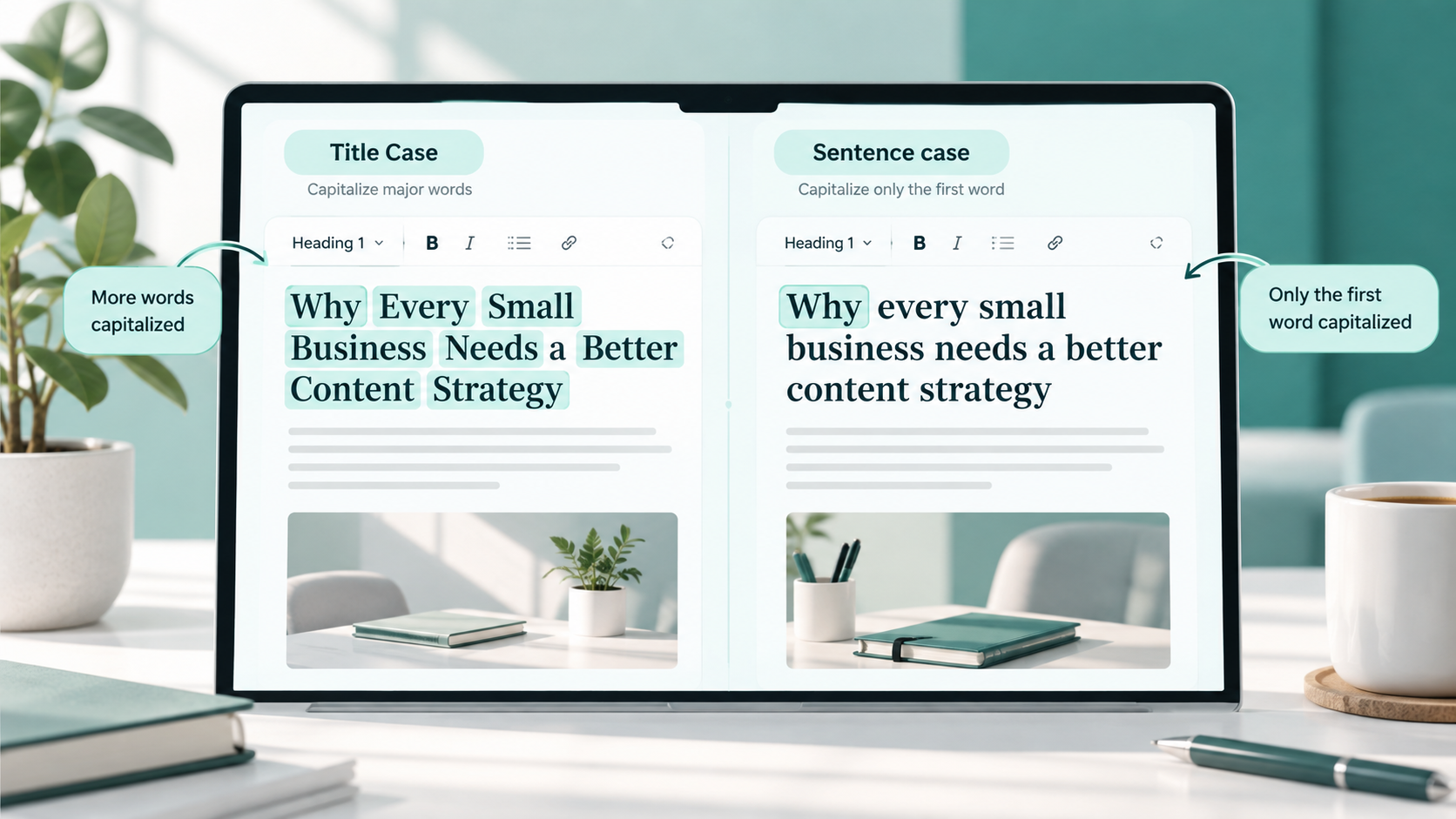
The main difference between title case and sentence case is the number of words that receive capital letters.
Take this original phrase:
how to format blog headings
In title case, it becomes:
How to Format Blog Headings
In sentence case, it becomes:
How to format blog headings
The meaning does not change. Only the capitalization style changes.
Title case emphasizes the major words and usually creates a more traditional headline appearance.
Sentence case looks closer to ordinary written language, which can make headings feel simpler and more conversational.
Neither style is automatically correct for every situation. The better choice depends on where the text appears and the formatting style you want to maintain.
When Should You Use Title Case?
Title case works especially well when a title or heading needs to look distinct from ordinary text.
Blog post titles
Many blogs use title case for their main article headlines.
For example:
How to Improve Your Writing Skills
Best Free Tools for Content Writers
It gives the main title a clear visual identity.
Main article headlines
News-style content, guides, tutorials, and editorial websites may use title case for prominent headlines.
For example:
Beginner's Guide to Website Content Planning
Book and publication titles
Book titles commonly use title capitalization.
Examples include:
The Complete Guide to Digital Writing
Learning Web Design for Beginners
Course titles
Online courses, workshops, training programs, and educational resources often use title case.
For example:
Introduction to Content Marketing
Complete WordPress Development Course
Landing page headings
A marketing landing page may use title case for important headings such as:
Build Better Content in Less Time
Grow Your Online Business
The capitalization can make the heading feel more prominent.
Formal headings
Reports, presentations, documents, and business material sometimes use title case for major sections.
For example:
Project Development Strategy
Marketing Performance Overview
Marketing headlines
Advertisements and promotional pages may use title case when the brand wants a more polished headline style.
For example:
Discover Better Tools for Everyday Writing
Navigation labels
Some websites use title case for navigation items such as:
About Us
Free Tools
Contact Us
This is mainly a design choice. If your site's navigation already follows title case, keeping the same capitalization across all menu items helps maintain consistency.
When Should You Use Sentence Case?
Sentence case works well when you want headings and interface text to feel straightforward and easy to read.
Normal headings
Blog sections can use sentence case even when the main article title uses title case.
For example:
How capitalization affects readability
Common mistakes to avoid
This creates a clear visual hierarchy without capitalizing every important word.
Subheadings
Sentence case is especially useful for H2 and H3 headings because long headings can become visually busy in title case.
Compare:
How to Choose the Right Capitalization Style for Your Website
with:
How to choose the right capitalization style for your website
The second version can feel more natural, especially in longer articles.
Website copy
Sentence case works well for instructional website text.
For example:
Create a strong password
Enter your text below
Choose your preferred format
Help articles
Documentation and support content often benefits from a conversational style.
For example:
How to reset your password
What to do if your account is locked
UI text
Menus, settings, alerts, form labels, and software interface text frequently use sentence capitalization.
Examples include:
Account settings
Change your password
Save your changes
Button text
Buttons generally do not need title case unless a design system specifically requires it.
Sentence case examples include:
Download file
Create account
Convert text
Save changes
Email subject lines
Email subjects can use either style, but sentence case often sounds more natural.
For example:
Your monthly account update
instead of:
Your Monthly Account Update
Both can work. The better option depends on the tone of the email.
Descriptions
Product descriptions, article summaries, captions, and explanatory text usually work best with normal sentence capitalization.
Which Style Is Better for Blog Headings?
There is no universal rule saying that every blog should use title case or that every heading should use sentence case.
Both styles are widely used.
The right choice depends on several factors.
Website style
Look at the existing design of your website. If your blog titles already use title case, suddenly switching random articles to sentence case can make the site look inconsistent.
Audience
A formal business publication might prefer title case, while a friendly educational website may prefer sentence case.
Readability
Sentence case can be easier to scan when headings are long.
A short heading such as:
Writing Tips for Beginners
looks clean in title case.
A longer heading such as:
How to decide which capitalization style works best for your website
may feel more comfortable in sentence case.
Brand tone
Title case can create a traditional, structured feeling.
Sentence case can create a simpler, more relaxed digital style.
Consistency
Consistency is more important than constantly switching between styles.
You could, for example, use title case for article titles and sentence case for all H2 and H3 headings. That is perfectly reasonable if you follow the same approach throughout the website.
Title Capitalization Rules to Understand
Title capitalization can become surprisingly complicated because different writing style guides handle certain small words differently.
For everyday writing, you do not need to memorize every possible rule.
A few basic principles are enough.
Capitalize the first and last words
The first word of a title is normally capitalized.
For example:
A Guide to Better Writing
Capitalize important words
Nouns, verbs, adjectives, and other important words are generally capitalized.
For example:
How Writers Create Better Headlines
Small words may stay lowercase
Short articles, prepositions, and conjunctions may remain lowercase depending on the style you follow.
Examples include words such as:
a, an, the, and, but, or, at, by, for, in, of, on, to
That is why you might write:
How to Write a Blog Post
rather than:
How To Write A Blog Post
However, capitalization rules vary between style guides. For most blog and website owners, choosing one reasonable style and applying it consistently matters more than memorizing every exception.
Sentence Capitalization Rules to Understand
Sentence case is usually easier because it follows ordinary sentence capitalization.
Capitalize the first word
For example:
How to improve your writing
Keep proper nouns capitalized
Names of people, places, companies, products, and organizations should retain their proper capitalization.
For example:
How to use Google Docs for writing
not:
How to use google docs for writing
Keep brand names accurate
Some brands intentionally use unusual capitalization. Their official spelling should usually be preserved.
Keep acronyms capitalized
For example:
How to improve SEO for a new website
The acronym SEO remains uppercase even though the heading uses sentence case.
Sentence case does not mean converting every word after the first one to lowercase without considering what that word represents.
Convert Title Case and Sentence Case Online with ToolNest
Manually changing capitalization is easy for a short heading, but it becomes repetitive when you have many titles, headings, or paragraphs to format.
A case converter can quickly change text between different capitalization styles.
With the ToolNest Case Converter, you can change text into formats such as title case, sentence case, uppercase, or lowercase without manually editing every word.
Case Converter
Convert text to uppercase, lowercase, title case and more.
For example, you could paste:
how to format content for a website
and convert it into the capitalization style you need.
You can also use the Use Case Converter when you need to quickly clean up inconsistent capitalization before publishing content.
When using any unfamiliar online formatting service, avoid pasting passwords, confidential client documents, private records, unpublished business information, or sensitive personal data. Only submit information you are comfortable processing through that service.
Common Mistakes with Title Case and Sentence Case
Capitalization mistakes usually happen because a page has no consistent formatting rules.
Mixing styles randomly
One heading might appear as:
How to Write Better Content
while the next appears as:
How to improve your blog
Both headings can be correct individually, but random changes in style may make a page look unfinished.
Choose a clear rule for your website and follow it.
Capitalizing every small word
Writers sometimes assume title case means capitalizing absolutely every word.
For example:
How To Write A Better Blog Post
Depending on your chosen style, a cleaner version may be:
How to Write a Better Blog Post
Forgetting proper nouns in sentence case
Sentence case does not mean lowercasing proper names.
Incorrect:
How to advertise on facebook
Better:
How to advertise on Facebook
Using title case for full paragraphs
Title case is intended mainly for titles and headings.
A paragraph such as:
This Article Explains How Writers Can Improve Their Content By Using Better Formatting
is difficult to read.
Normal paragraphs should follow standard sentence capitalization.
Using inconsistent heading styles across a website
If some pages use title case and others use sentence case without a clear reason, the website can lose visual consistency.
Creating a simple content style rule prevents this.
Manually editing long text and missing words
When changing dozens of headings manually, it is easy to miss a word or accidentally capitalize something incorrectly.
For larger amounts of text, a converter can speed up the first formatting pass. You should still review the final result before publishing.
Changing brand names or acronyms incorrectly
Automatic capitalization can sometimes modify words that need special formatting.
Names, acronyms, product names, technical terms, and intentionally styled brands should always be checked manually.
Simple Tips for Consistent Capitalization
A few simple habits can make capitalization much easier to manage.
Choose a style before publishing
Decide whether your main blog titles, section headings, navigation labels, and buttons will use title case or sentence case.
They do not all need to use the same style, but each category should follow a consistent rule.
For example:
Article titles: Title Case
Section headings: Sentence case
Buttons: Sentence case
Navigation: Title Case
That creates a predictable structure.
Create a simple writing guideline
You do not need a complicated editorial handbook.
A short rule such as “Use title case for H1 titles and sentence case for H2 and H3 headings” may be enough for a small website.
Review headings before publishing
Scan the page specifically for capitalization.
Check that similar headings follow the same style.
Watch proper nouns carefully
Whether you use title case or sentence case, names, locations, brands, acronyms, and technical terms may require specific capitalization.
Use a case converter when useful
If you have copied text written in all capitals or inconsistent formatting, converting it automatically can save time.
After conversion, review the text manually for brand names and special terms.
If you want a broader explanation of uppercase, lowercase, title case, sentence case, and other capitalization formats, see Use Case Converter.
FAQs
What is the difference between title case and sentence case?
Title case capitalizes the main words in a title or heading, while sentence case normally capitalizes only the first word and proper nouns.
For example:
Title case: How to Write Better Headlines
Sentence case: How to write better headlines
Is title case better than sentence case?
Not necessarily. Both styles are valid.
Title case often looks more formal or traditional, while sentence case often looks simpler and more conversational. The best option depends on your website, audience, design, and editorial style.
Should blog titles use title case?
Blog titles can use either title case or sentence case.
Many websites use title case for article titles because it helps headlines stand out. Others use sentence case to create a more modern and natural appearance.
Consistency across your blog is more important than choosing one universal style.
Should H2 headings use title case or sentence case?
Either can work.
Some websites use title case for every heading, while others use title case for the main H1 and sentence case for H2 and H3 headings.
Long section headings often look cleaner in sentence case.
Should buttons use title case?
Buttons can use either style, but sentence case is common in modern interfaces.
Examples include:
Create account
Download file
Convert text
If your design system already uses title case, keeping it consistent is also acceptable.
Should email subject lines use title case or sentence case?
Both styles can work.
A promotional subject might use title case:
New Writing Tools Available Today
A normal update might use sentence case:
Your account settings have been updated
Choose the style that fits the tone of the message.
Does sentence case lowercase proper nouns?
No.
Proper nouns should keep their correct capitalization.
For example:
How to create a website with WordPress
“WordPress” remains capitalized correctly.
Can a case converter format text automatically?
Yes. A case converter can quickly transform text into title case, sentence case, uppercase, lowercase, and other capitalization styles.
However, automated conversion should still be reviewed for brand names, acronyms, and unusual terms.
Final Thoughts
Title case and sentence case serve the same basic purpose: making written content clear and properly formatted. The main difference is how many words receive capital letters.
Title case can give article titles, book names, course titles, and important headings a more formal appearance. Sentence case is often a natural choice for subheadings, website text, buttons, help content, and interface labels.
There is no single capitalization style that fits every website or document. Choose the approach that matches your content, audience, and design, then apply it consistently.
Once you have a clear formatting rule, deciding between “How to Write Better Headlines” and “How to write better headlines” becomes much easier.