You are writing a blog title, editing a website button, or preparing a social media caption when a simple question suddenly appears: should this text be in uppercase, lowercase, title case, or sentence case?
At first, the difference may seem like a small formatting detail. However, the way letters are capitalized can affect how professional, readable, and consistent your content looks.
A heading written as FREE ONLINE TOOLS creates a different impression from Free Online Tools or Free online tools. None of these formats is automatically wrong. The right choice depends on where the text appears and what you want it to communicate.
Understanding text case makes it easier to format articles, websites, emails, forms, product titles, captions, and other written content without guessing.
What Is Text Case?
Text case refers to the way uppercase and lowercase letters are used within words, sentences, headings, and titles.
For example, the same phrase can appear in several different forms:
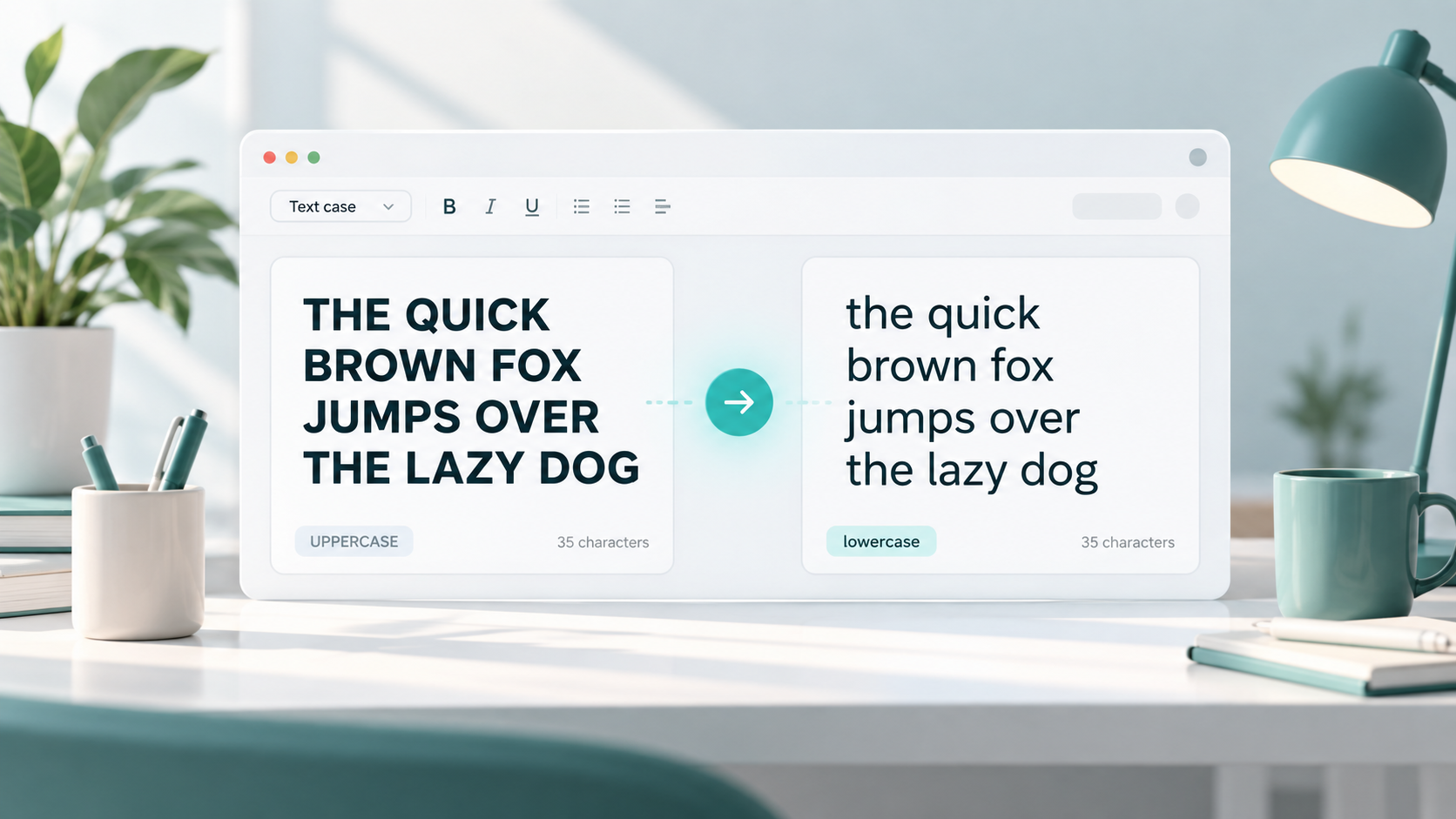
THIS IS AN EXAMPLE
this is an example
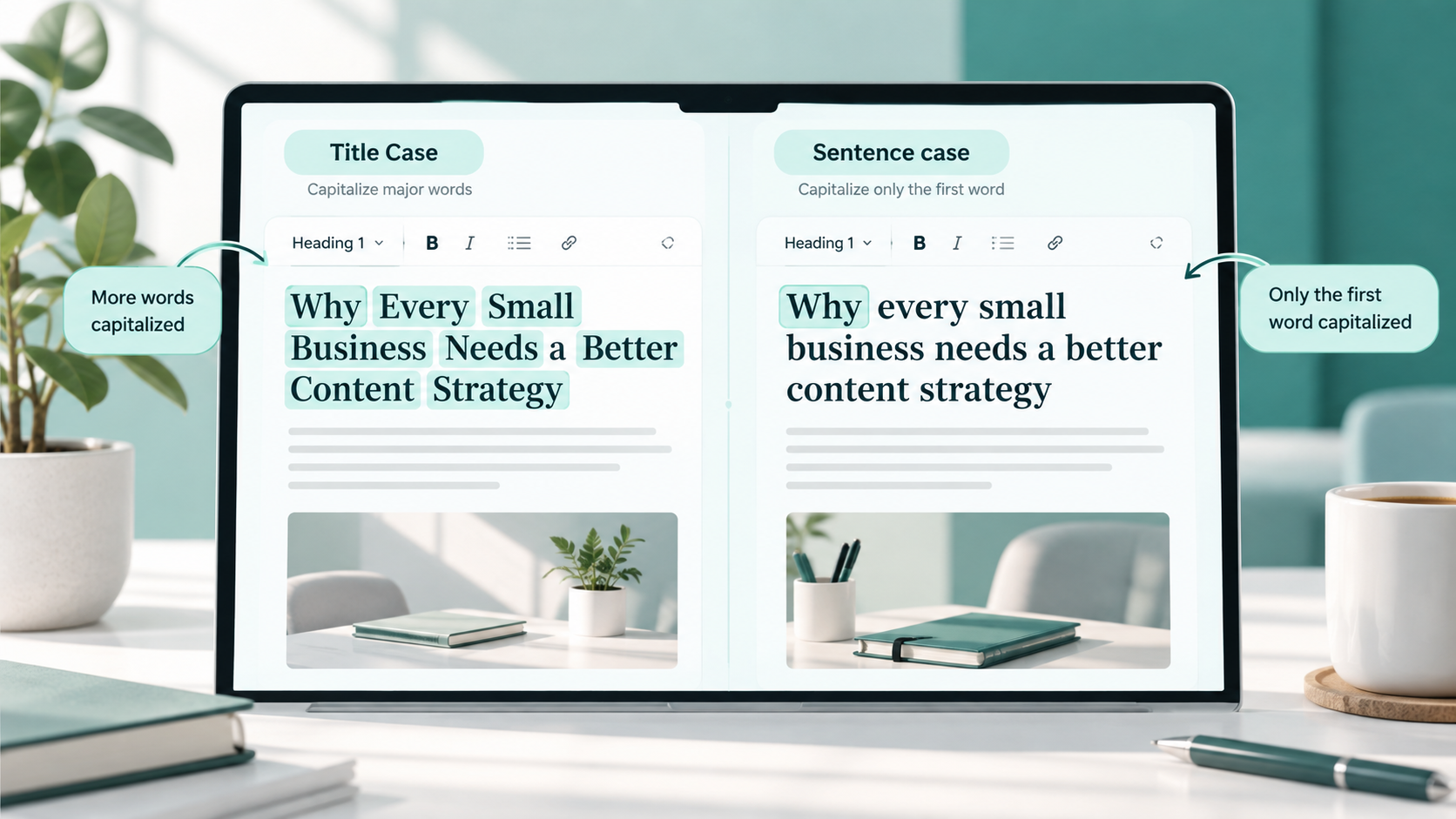
This Is an Example
This is an example
The words are identical, but the capitalization style changes.
Text case is commonly used to organize written content and establish a consistent visual style. Writers, editors, students, developers, marketers, and website owners regularly work with different text cases depending on the type of content they are creating.
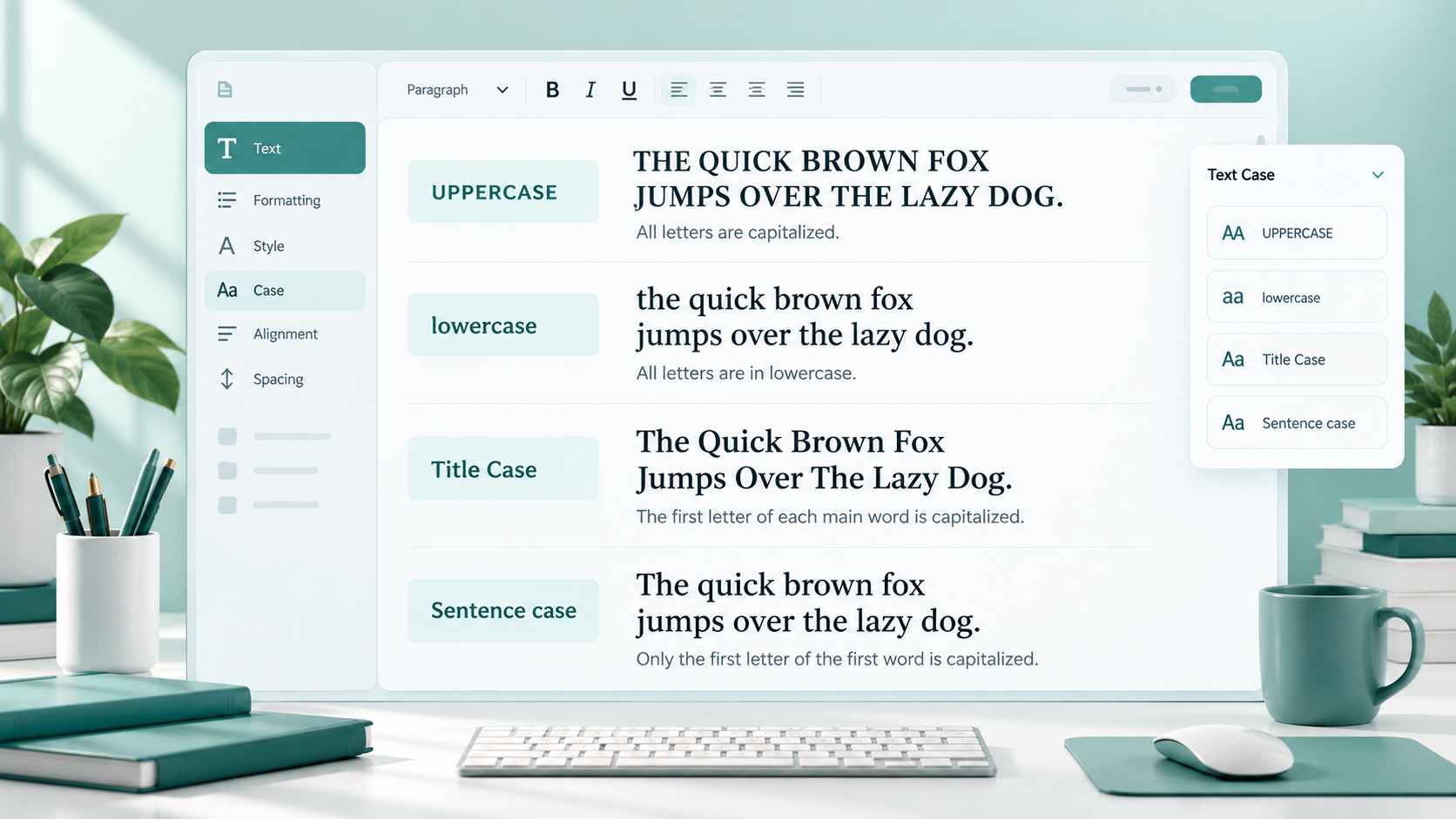
The four common formats are uppercase, lowercase, title case, and sentence case.
Why Text Case Matters
Text case affects more than appearance. It can influence how easily people read and understand your content.
Readability
Most paragraphs are easier to read when normal capitalization rules are used. Large blocks of uppercase text can feel visually heavy because every letter has similar height.
Professional appearance
Consistent capitalization helps articles, websites, presentations, and emails look carefully edited.
If one heading uses title case and the next uses random capitalization, the page may look unfinished even when the information itself is useful.
Consistency
Websites often contain many repeated elements, including navigation links, buttons, form labels, headings, and product names. Using consistent text case helps these elements feel connected.
Writing style
Some publications prefer title case for headlines, while others use sentence case. Neither approach is universally correct. What matters is following the chosen style consistently.
User experience
Clear capitalization can help users understand the purpose of interface elements.
For example:
Contact Us
is usually easier to scan than:
CONTACT US NOW TO SEND US A MESSAGE
Capitalization should support the user rather than compete for attention.
What Is Uppercase?
Uppercase means every alphabetical letter is written as a capital letter.
Examples include:
THIS IS UPPERCASE
CONTACT US
FREE ONLINE TOOLS
Uppercase is often used when text needs strong visual emphasis.
Where uppercase works well
Uppercase can be useful for:
Short buttons
Small navigation labels
Warnings
Category labels
Posters
Short promotional headings
Interface elements where strong emphasis is needed
For example, a website may use:
DOWNLOAD
or:
START NOW
Uppercase can make short pieces of text easy to notice.
Where uppercase should be avoided
Writing full paragraphs in uppercase is usually unnecessary.
For example:
THIS ENTIRE PARAGRAPH IS WRITTEN IN CAPITAL LETTERS AND MAY BECOME DIFFICULT OR UNCOMFORTABLE TO READ.
Uppercase can also feel like shouting in emails, messages, comments, and social media conversations.
Use it selectively rather than applying it to everything.
What Is Lowercase?
Lowercase means letters are written without capitalization.
Examples:
this is lowercase
free online tools
write better content
Lowercase text has a softer and more informal appearance.
Where lowercase may be used
You may see lowercase formatting in:
Usernames
Social media handles
Informal captions
Modern design layouts
Brand styling
Decorative headings
Casual messages
For example:
simple tools for everyday work
A designer may intentionally use lowercase to create a relaxed or minimalist style.
However, standard grammar rules still matter in regular articles, emails, reports, and professional communication. Starting every sentence in lowercase simply for style may not be suitable for formal content.
What Is Title Case?
Title case capitalizes the main words in a title or heading.
Examples:
What Is Text Case?
Free Online Writing Tools
How to Format a Blog Title
Title case is commonly used for:
Blog post titles
Article headlines
Book titles
Video titles
Page headings
Product titles
Professional documents
Small words such as articles, short prepositions, and conjunctions may remain lowercase depending on the style guide being followed.
For example:
How to Write a Better Blog Post
Words such as “to” and “a” remain lowercase, while the main words are capitalized.
Different style guides have slightly different title capitalization rules, so perfect title case is not always as simple as capitalizing every word.
What Is Sentence Case?
Sentence case follows normal sentence capitalization. The first word is capitalized, while most other words remain lowercase unless they are proper nouns.
Examples:
What is text case?
How to write better headings
Free online writing tools
Sentence case is widely used because it feels natural and is easy to read.
You will often see it in:
Paragraphs
Descriptions
Website interface text
Form instructions
Notifications
Email subject lines
Help articles
Simple headings
Sentence case is especially useful when you want headings to feel less formal or less visually aggressive than title case.
Uppercase vs Lowercase vs Title Case vs Sentence Case
The easiest way to understand the difference is to apply each style to the same phrase.
Original phrase:
toolnest helps writers format text
Uppercase
TOOLNEST HELPS WRITERS FORMAT TEXT
Every letter is capitalized.
Lowercase
toolnest helps writers format text
Every letter remains lowercase.
Title Case
ToolNest Helps Writers Format Text
The main words are capitalized.
Sentence Case
ToolNest helps writers format text
Only the beginning of the sentence and proper names are capitalized.
Each version communicates the same basic message, but the visual style changes.
When Should You Use Each Text Case?
There is no single capitalization style that works for every situation. The best choice depends on the content and platform.
Blog titles
Title case and sentence case are both common.
Examples:
How to Improve Your Writing Skills
or:
How to improve your writing skills
Choose one style and use it consistently throughout your blog.
Article headings
Headings can use title case or sentence case.
A website using title case might write:
Simple Tips for Better Writing
A sentence-case website might use:
Simple tips for better writing
Avoid switching randomly between both styles.
Website buttons
Buttons should usually be short and easy to understand.
Examples:
Create Account
Download File
Convert Text
Some designs use uppercase buttons such as:
DOWNLOAD FILE
This can work when used consistently.
Social media captions
Sentence case is usually the most natural option because captions often resemble normal conversation.
Lowercase may also be used intentionally for informal styling.
Avoid writing entire captions in uppercase unless there is a specific reason.
Email subject lines
Sentence case often works well:
Your account has been updated
Title case may also be appropriate:
Monthly Account Update
Consistency with your brand or communication style is more important than forcing one format everywhere.
Product titles
Title case is common for product names and listings because it makes important words easier to scan.
Example:
Wireless Mechanical Keyboard With Backlight
However, marketplace or company guidelines may have their own capitalization rules.
Form labels
Short labels usually work well in title case or sentence case.
Examples:
Email Address
Phone number
Shipping address
Choose one approach across the entire form.
Meta titles
Meta titles should be written for clarity rather than excessive capitalization.
Title case is common:
Free Online Case Converter for Text
Sentence case can also work:
Free online case converter for text
Avoid unnecessary all-caps text because it can make search listings look unnatural.
Short descriptions
Sentence case is normally the most readable option.
For example:
Convert uppercase, lowercase, title case, and sentence case online.
Convert Text Case Online with ToolNest
Changing a few words manually is easy. Changing several paragraphs, headings, or long sections of text can be slower and may lead to inconsistent capitalization.
A case converter can quickly transform text into the format you need.
With the ToolNest Case Converter, you can switch text between uppercase, lowercase, title case, and sentence case without manually editing every letter.
Case Converter
Convert text to uppercase, lowercase, title case and more.
This can be useful when preparing article headings, cleaning copied text, formatting social captions, editing website content, or correcting text that was accidentally typed with the wrong capitalization.
You can also use the Use Case Converter when you need a quick way to change capitalization styles.
When using any unfamiliar online text-processing service, avoid pasting passwords, confidential client documents, private records, sensitive personal information, or unpublished business material unless you understand how that service handles your data.
Common Text Case Mistakes
Even simple capitalization can become inconsistent when content is edited by different people or copied from multiple sources.
Writing full paragraphs in uppercase
Uppercase works well for short emphasis, but long passages can become tiring to read.
Reserve all-caps formatting for situations where it genuinely improves clarity.
Mixing title case and sentence case randomly
A page may look inconsistent when one heading says:
How to Improve Your Writing
and another says:
How to format your text
Both formats are acceptable, but the mixture may look accidental.
Choose a heading style and apply it consistently.
Capitalizing every word unnecessarily
Capitalizing every word is not always proper title case.
For example:
How To Write A Better Article For Your Website
Depending on the style being followed, small words may remain lowercase:
How to Write a Better Article for Your Website
Using lowercase for important formal headings
Lowercase can work as a deliberate design choice, but it may not fit formal documents, academic work, corporate pages, or professional reports.
Consider the audience before choosing a highly casual style.
Ignoring brand consistency
Some brands have specific capitalization rules for company names, products, or features.
Changing those names simply to match nearby text can make them incorrect.
Manually converting long text
Changing capitalization word by word is easy to get wrong, especially in long documents.
An automated converter can save time, although the converted text should still be reviewed afterward.
Using different formatting across website pages
A website may look less polished when every page follows different heading and button capitalization rules.
A simple style guide can prevent this problem.
Simple Tips for Better Text Formatting
Good text formatting does not need to be complicated.
Choose a style before publishing
Decide whether your titles and headings will use title case or sentence case. Once chosen, follow the same approach throughout the website, document, or project.
Prioritize readability
Formatting should make text easier to understand.
Avoid excessive uppercase, unusual capitalization, or decorative styles that make users work harder to read the message.
Think about your audience
A casual social post can use a different style from a business proposal or academic document.
Match the text case to the situation.
Follow platform rules
Some websites, marketplaces, publications, and organizations provide their own formatting guidelines.
When such rules exist, follow them rather than creating a separate capitalization system.
Proofread converted text
Case converters are helpful, but names, acronyms, abbreviations, and unusual brand terms may still need manual review.
For example, automatically changing text could affect names such as “iPhone,” “YouTube,” or other words with intentional capitalization.
Create simple formatting rules
If you manage a website or publish content regularly, define basic rules for titles, headings, buttons, labels, and descriptions.
You can learn more about keeping written content organized in theUse Case Converter.
FAQs
What does text case mean?
Text case describes how uppercase and lowercase letters are used in text. Common text cases include uppercase, lowercase, title case, and sentence case.
What is the difference between uppercase and lowercase?
Uppercase uses capital letters, such as HELLO WORLD, while lowercase uses small letters, such as hello world.
What is title case used for?
Title case is commonly used for article titles, blog headlines, books, page headings, product names, and other prominent text.
What is sentence case?
Sentence case follows normal sentence capitalization. The first word is capitalized, while most other words remain lowercase unless they are proper nouns.
Example:
How to format text correctly
Is title case better than sentence case?
Not necessarily. Both can be correct.
Title case often feels more formal and prominent, while sentence case usually feels simpler and more natural. The best choice depends on your publication, design, audience, and style guidelines.
Should website buttons use uppercase?
They can, but they do not have to.
Short uppercase buttons such as DOWNLOAD or SUBMIT can work well, but title case such as Download File may feel easier to read. Consistency across the interface matters most.
Can I use lowercase for headings?
Yes. Lowercase headings can work as a design choice, especially on modern or informal websites. For professional or formal content, standard capitalization is often easier for users to understand.
What is an online case converter?
An online case converter is a tool that changes text from one capitalization format to another. It can convert text to uppercase, lowercase, title case, sentence case, or other supported formats.
Should I check text after using a case converter?
Yes. Always review converted text for names, acronyms, brand terms, abbreviations, and other words that may require special capitalization.
Final Thoughts
Uppercase, lowercase, title case, and sentence case are simple formatting styles, but choosing the right one can make a noticeable difference in how content looks and feels.
Uppercase is useful for short emphasis. Lowercase can support informal or minimalist styles. Title case works well for prominent titles and headings, while sentence case is a natural choice for everyday writing and interface text.
The most important principle is consistency. Choose a capitalization style that suits your audience and platform, use it clearly, and review your content before publishing.